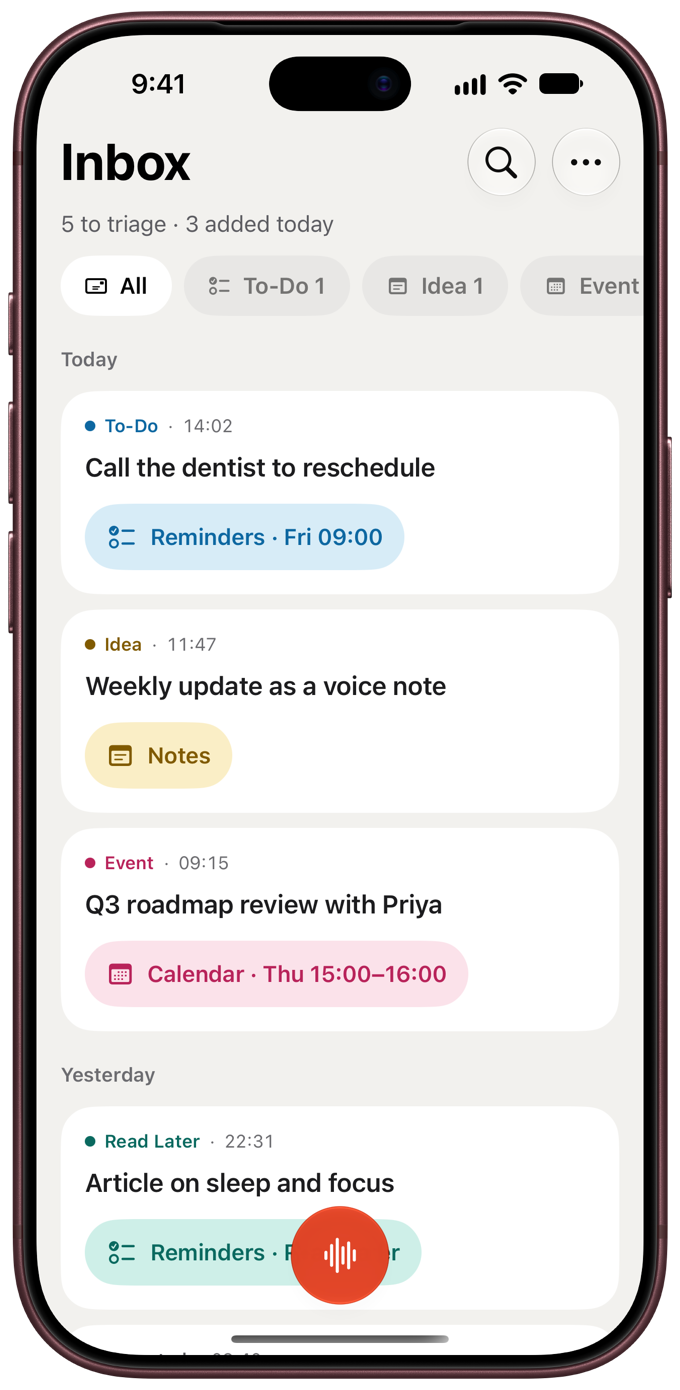
Press the Action Button and speak. Whim saves and transcribes your thought, suggests what it is, and sends it to Reminders, Calendar or Notes when you're ready.
Free · No account
One press to capture. One tap to send. Everything in between happens on your iPhone.
How it works
Whim is a quick-capture inbox, not another notes app. It holds your passing thoughts until you have a minute, then hands each one to the app it belongs in.
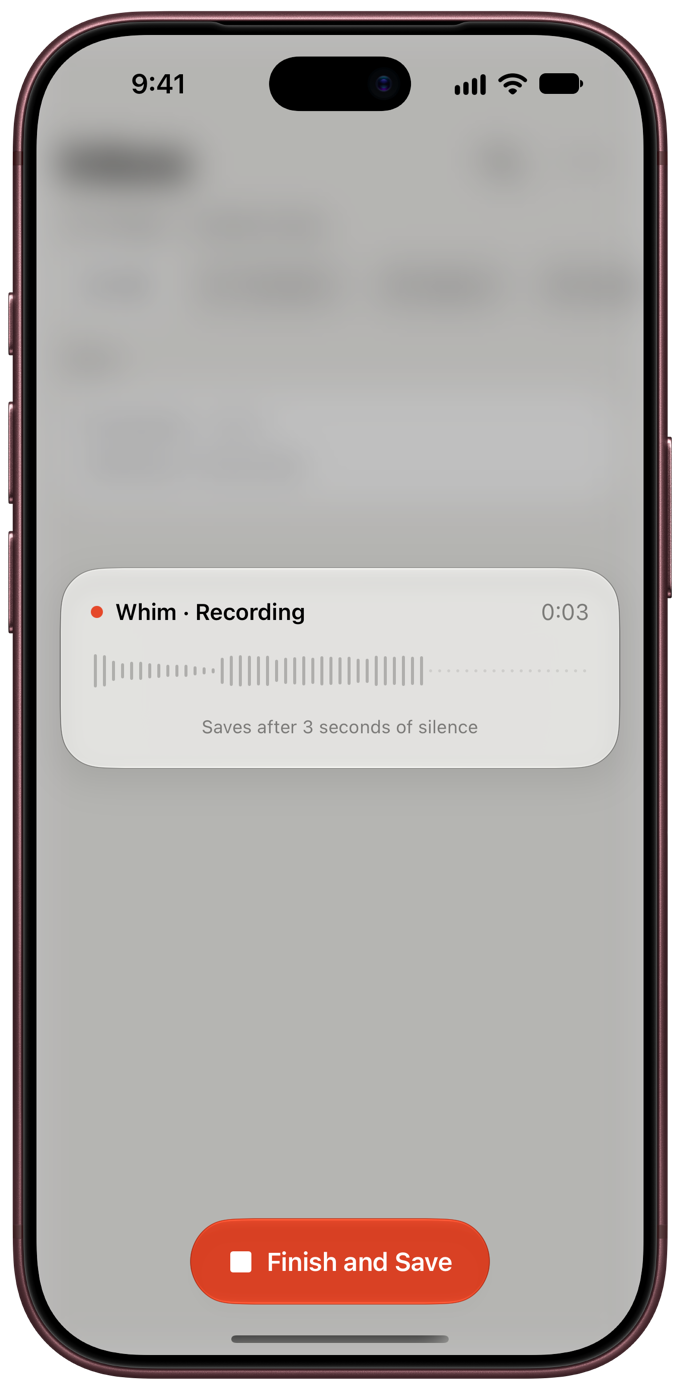
1 · Capture
Speak. Nothing to choose.
Press the Action Button and talk. Press again, or stop talking for three seconds, and it's saved.
“Remind me to call the dentist tomorrow at 3”
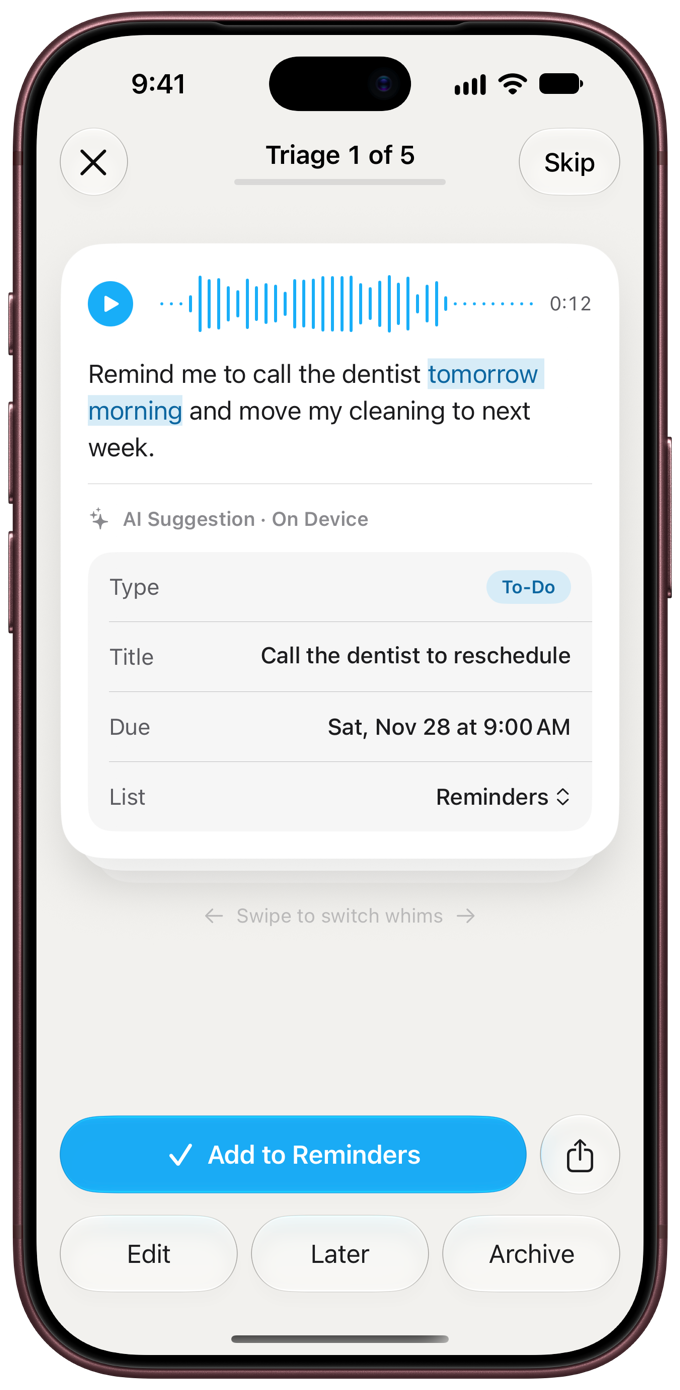
2 · Sort
AI suggests what it is.
Whim writes a short title, tells to-dos from events, ideas and things to read later, and picks out dates and times. You fix anything with a tap.
To-DoEventIdeaRead Later
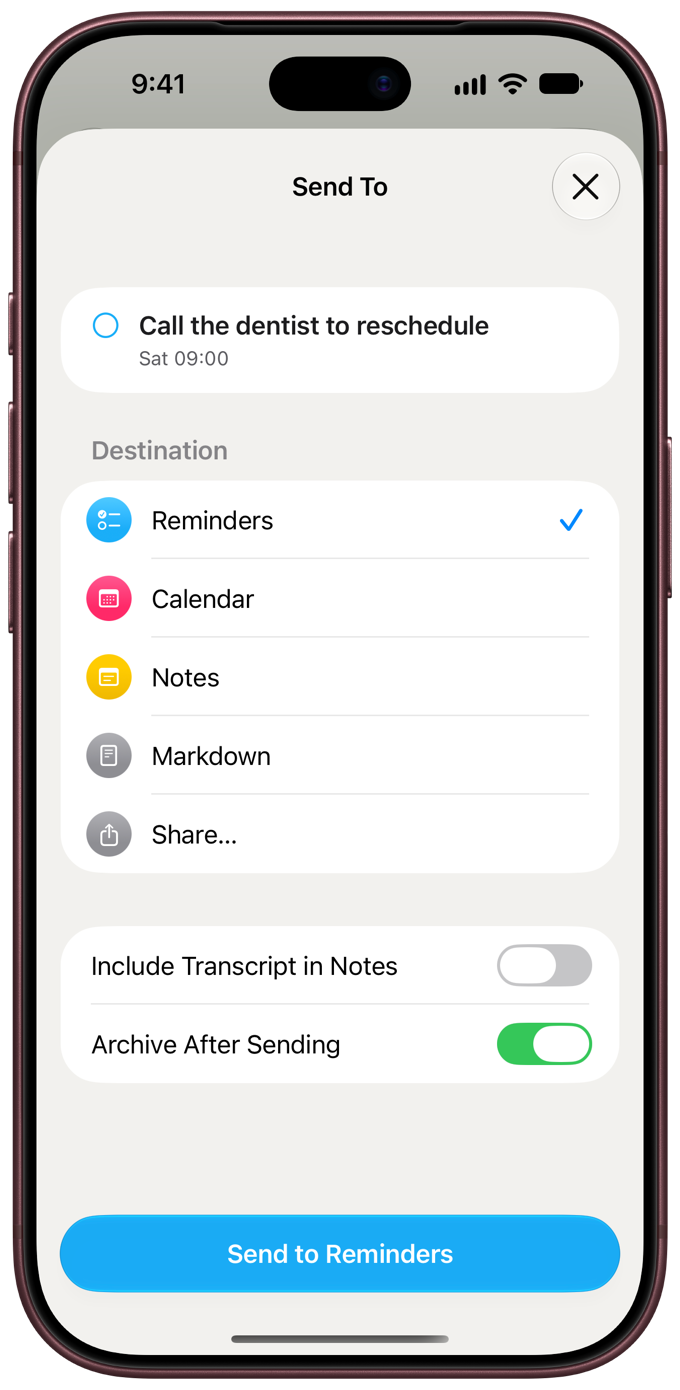
3 · Send
Off to the apps you use.
Send a to-do to Reminders, an event to Calendar, an idea to Notes, or share it anywhere. Sent whims are archived.
RemindersCalendarNotesShare
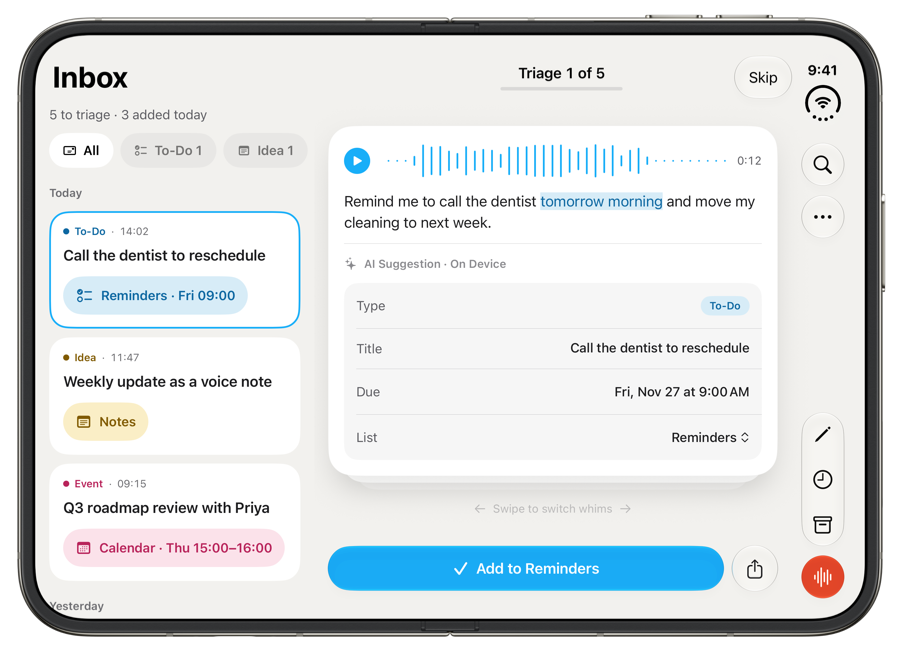
Open iPhone Duo. Sort side by side.
On the big screen, your inbox stays on the left while you triage the whim on the right: hear it, check what Whim suggests, and send it on.
Catch it from wherever you are.
Whim never asks you anything while you record. Every way in starts the same one-press capture.
Action Button
Set it to Capture a Whim. Press to start, press again to save.
Control Center
Add the Capture a Whim control and record without unlocking.
Lock Screen
Put the control on your Lock Screen for a one-tap start.
Siri
Say “Capture with Whim” and start talking.
Your thoughts stay on your iPhone.
Recording, transcription and AI suggestions all run on device with Apple Intelligence. Nothing is uploaded, and there is nobody to sign in to.
AccountNone
Ads and trackingNone
Data collectedNone
Where whims liveOn your iPhone and in its backups
Recently deletedKept 30 days, then gone
What you need
Whim works on every iPhone that runs iOS 27. Some parts need newer hardware.
iOS 27 or later
Recording and transcription work on any supported iPhone, in English and Simplified Chinese.
Apple Intelligence
Titles, types and dates need an iPhone that supports it, turned on. Without it, new whims go to Unsorted and you sort them yourself.
Action Button
On iPhone 15 Pro and later. On other models, use Control Center, the Lock Screen or Siri.